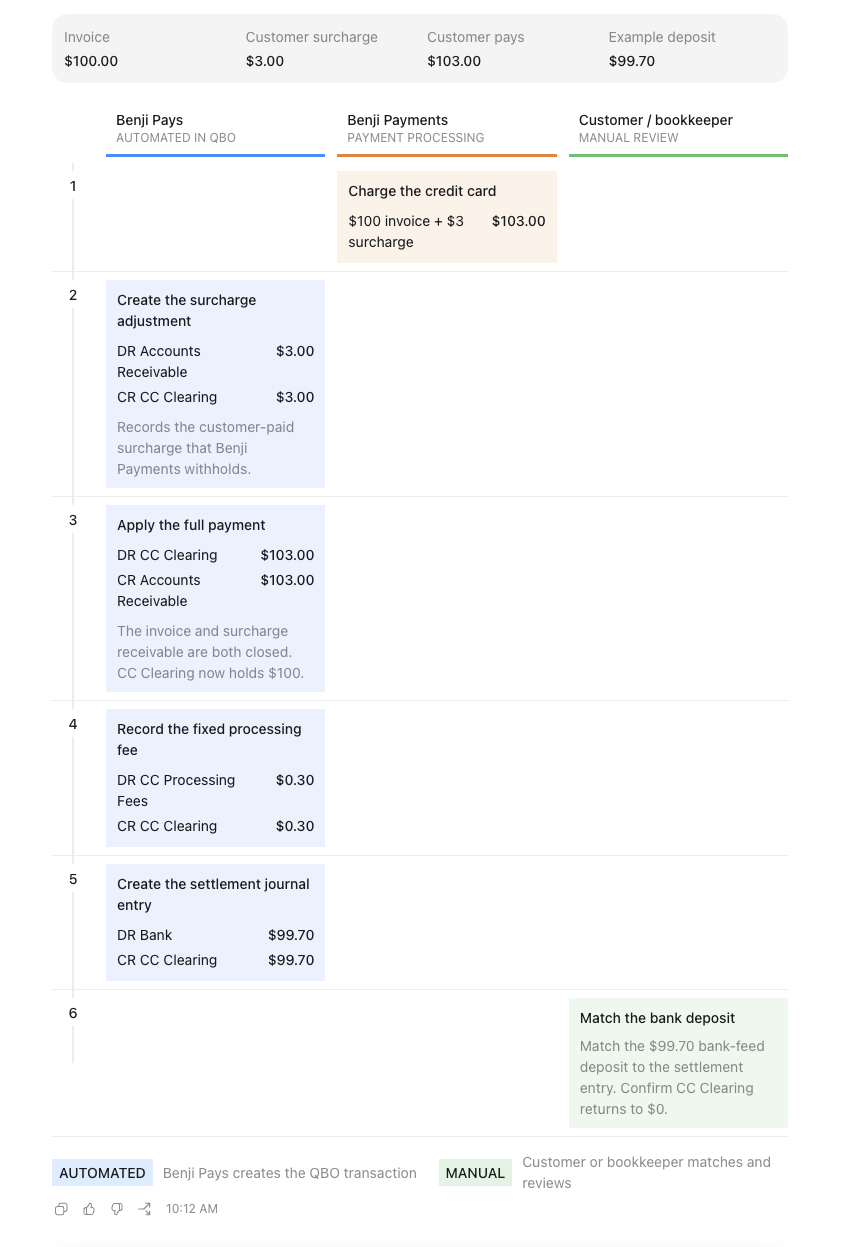
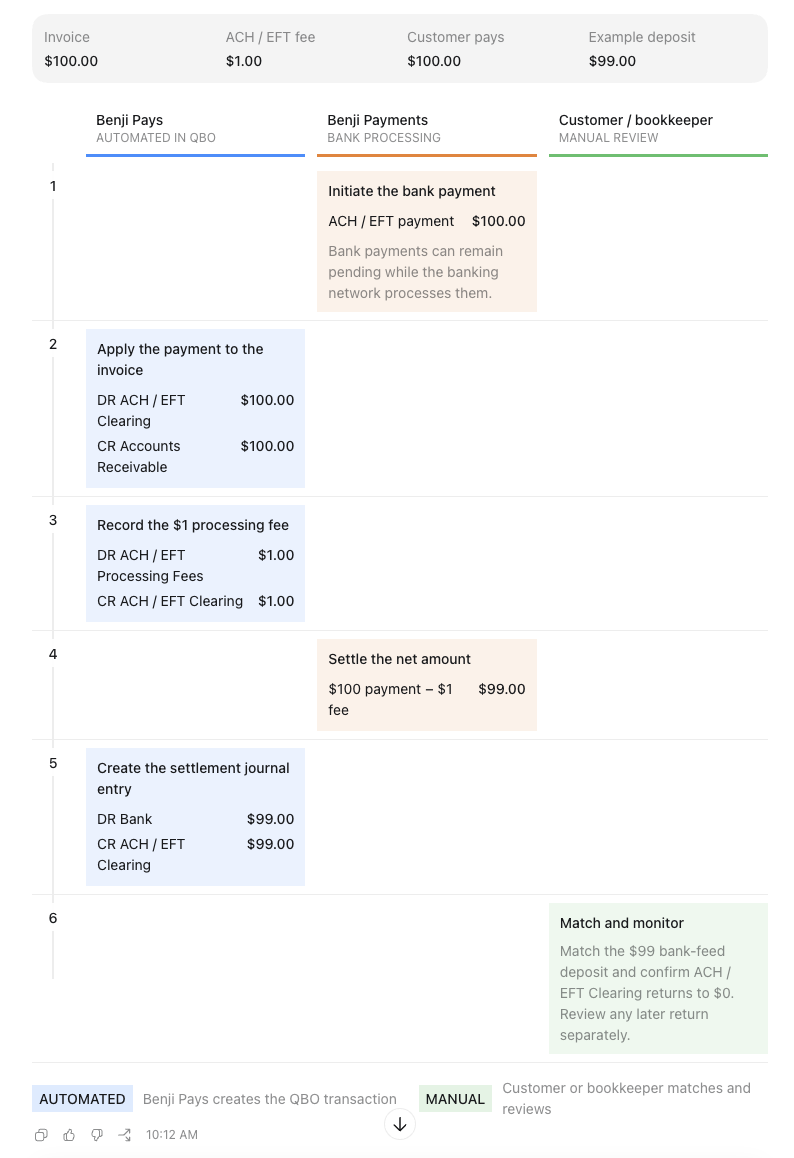
These charts explain how Benji Payments credit card and ACH/EFT transactions move from the customer’s payment to the merchant’s bank account. They also show which accounting entries Benji Pays creates automatically in QuickBooks Online and which steps must be completed by the customer or bookkeeper.
The main purpose of these charts is to make ownership clear: Benji Pays automates the payment, fee, and settlement accounting entries, while the customer or bookkeeper primarily reviews the transactions, matches the bank deposit, and handles exceptions such as returned payments.
Each workflow uses a $100 invoice as an example.
Credit Card Workflow with QuickBooks:
ACH/EFT Workflow with QuickBooks:
QuickBooks Online versus Xero workflow:
The overall accounting result is the same, but Xero and QuickBooks Online use different transaction types.
| Step | QuickBooks Online | Xero |
|---|---|---|
| Customer payment | Creates a Payment | Creates a Payment |
| Credit-card surcharge | Creates a surcharge Journal Entry and applies the total payment | Does not record the withheld surcharge; records only the original invoice amount |
| Processing fee | Creates a Journal Entry | Creates a Manual Journal automatically |
| Bank settlement | Creates a settlement Journal Entry | Creates a Receive Money transaction |
| Bank-feed step | Customer matches the deposit | Customer reconciles the deposit |
| Clearing account | Bank or Other Current Asset | Current Asset account with payments enabled |
For a $100 invoice with a $3 surcharge:
- QBO: Records a $3 surcharge adjustment and applies a $103 payment.
- Xero: Records a $100 payment only. The $3 surcharge remains visible in Benji Payments reports but is not recorded in Xero.
For ACH/EFT, the workflow is more similar: both systems record the $100 payment, the $1 processing fee, and the $99 settlement. The main difference is that QBO uses a settlement Journal Entry, while Xero uses Receive Money.
Also, “Manual Journal” in Xero is simply the name of the transaction type—Benji Pays still creates it automatically.
For more information, please visit the following article: Benji Payments Accounting Transactions Guide.
Was this article helpful?
That’s Great!
Thank you for your feedback
Sorry! We couldn't be helpful
Thank you for your feedback
Feedback sent
We appreciate your effort and will try to fix the article