To change where payouts are deposited, you need to update your payment details in your Benji Pays application.
To do that, log in to your Benji Pays account, go to https://app.benjipays.com/app/boarding, under Step 2 you will be able to modify your application.
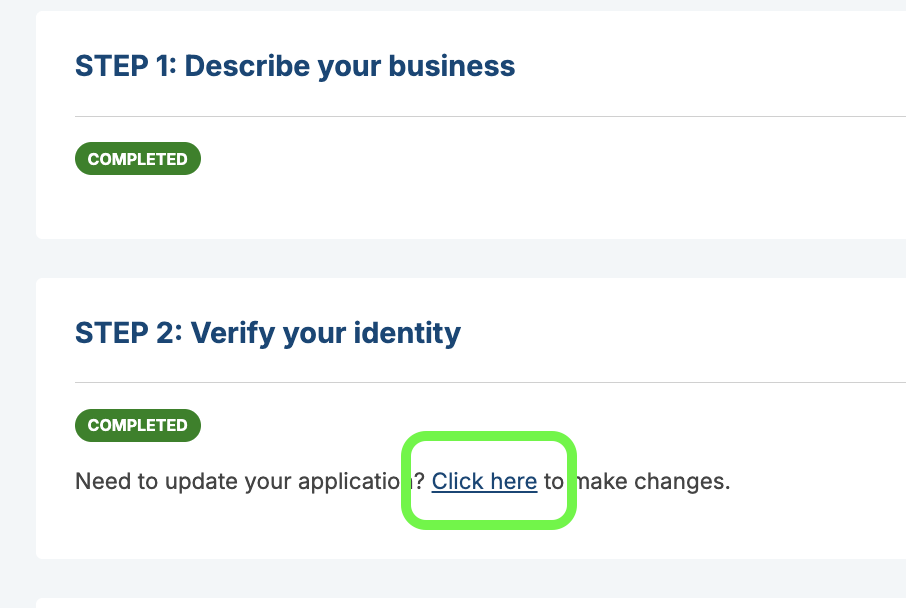
In the application, go to the payment details section and add the new bank account where you want future payouts deposited.
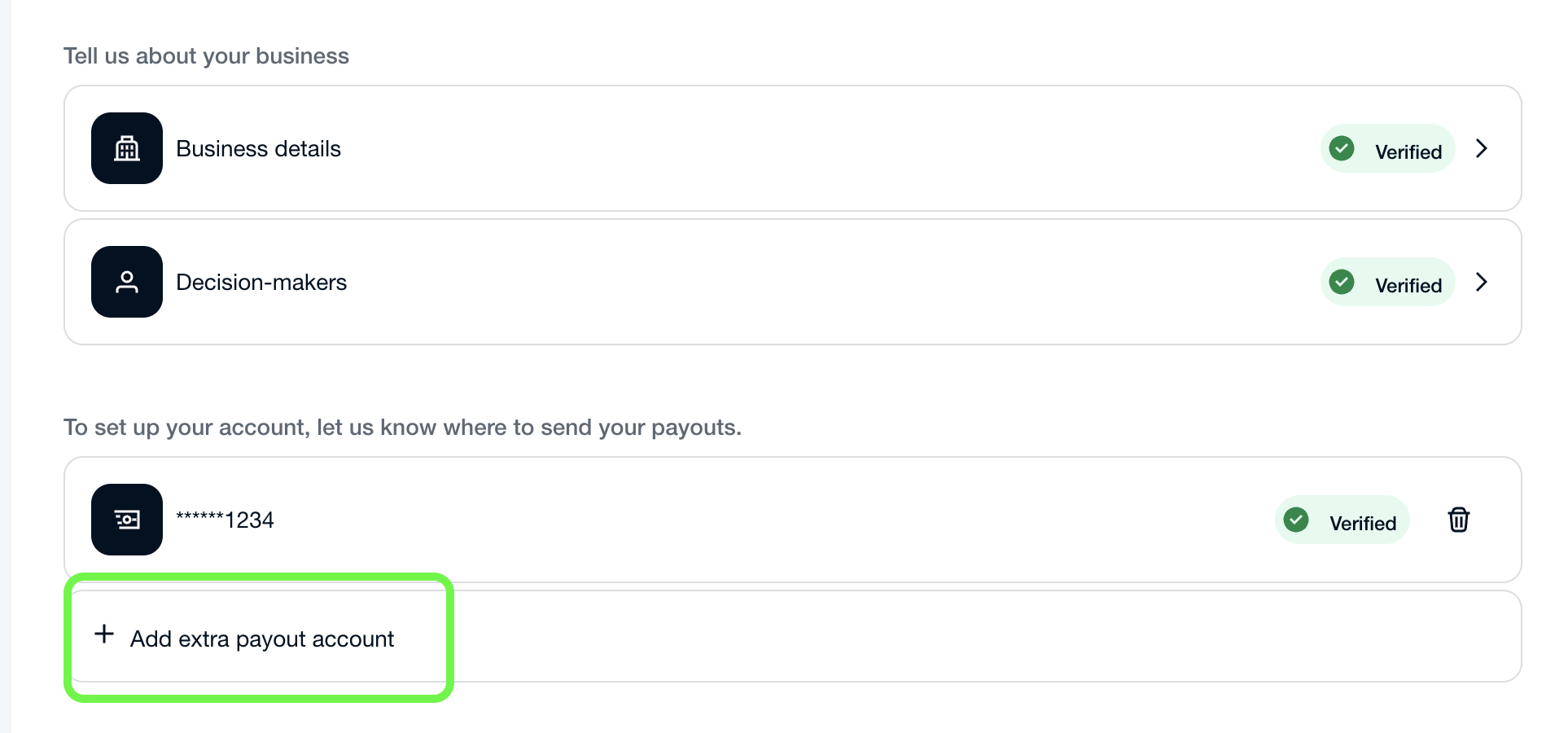
Make sure the information is accurate before submitting it. Incorrect bank details may delay future payouts.
After you add the new payment details, contact Benji Pays Support and let us know that you want your payout destination changed. Our team will review the new payment details and update the payout destination on our side.
Important: update your settlement deposit account within the Gateway Settings
After Benji Pays confirms that your payout destination has been changed, make sure to update the Settlement Deposit Bank Account in your Gateway Settings.
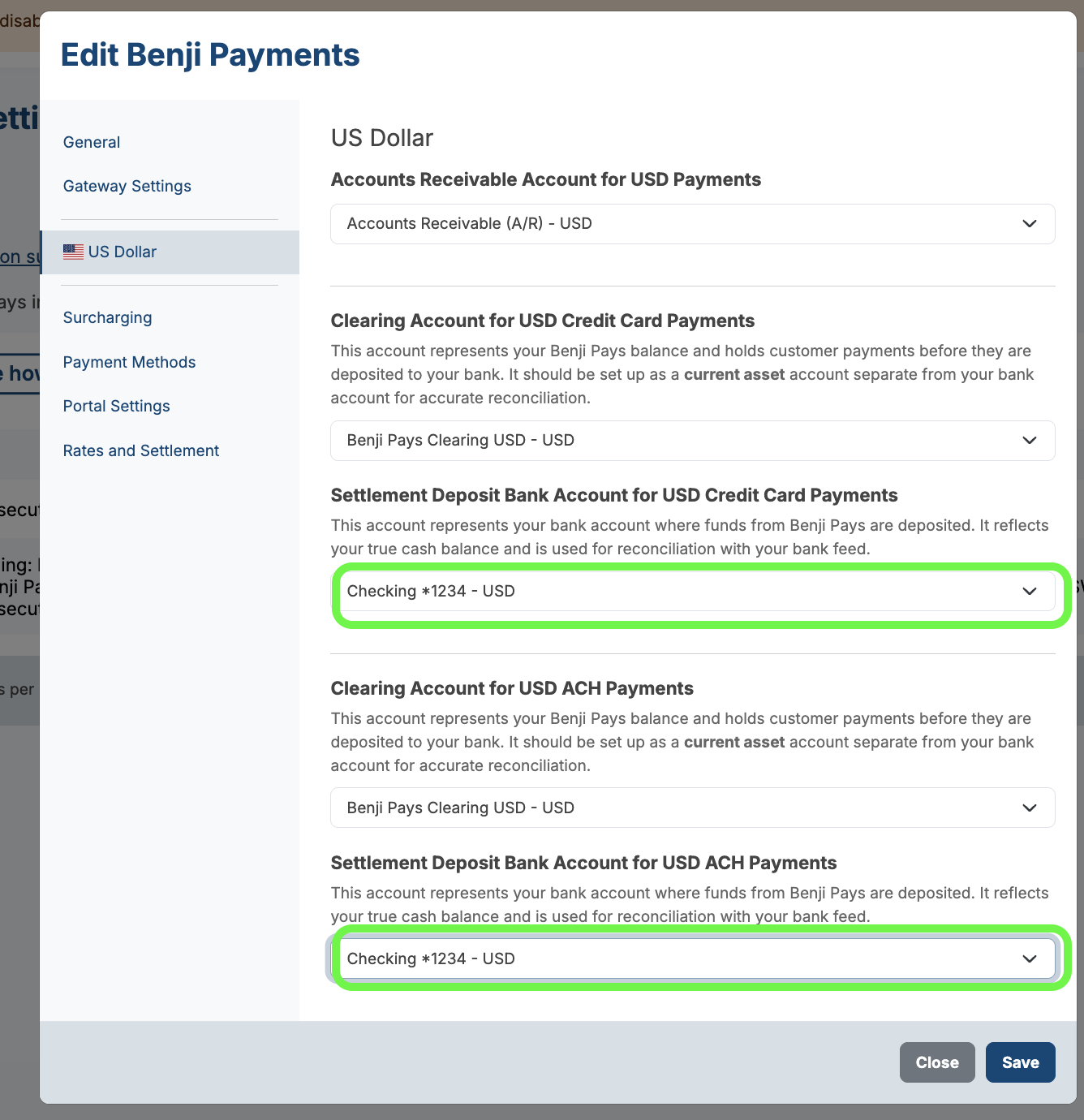
This account should match the bank account where your payouts are now being deposited. Keeping this setting up to date helps ensure your settlements are recorded against the correct bank account in your accounting system and keeps your reconciliation clean.
You can change this setting by navigating to:
- Benji Pays > Settings > Payment Gateway Settings
- Click the pencil icon on the right side of the Benji Payments payment gateway.
- Select US/CAD Dollar from the left-hand menu.
- Update the Settlement Deposit setting as shown above and Save.
When will the change take effect?
The updated payout destination applies to future payouts after the change has been reviewed and completed by Benji Pays.
Payouts that have already been processed or sent to the previous bank account usually cannot be redirected.
Was this article helpful?
That’s Great!
Thank you for your feedback
Sorry! We couldn't be helpful
Thank you for your feedback
Feedback sent
We appreciate your effort and will try to fix the article