By default, Benji Pays will surface the PDF Invoice from your accounting system. To configure it so Benji Pays surfaces the PDF Invoice from HaloPSA, follow these steps:
⚠ Important: To ensure this works, complete the HaloPSA integration first. Here's a link to configure it in case it was missed: link
- Navigate to Settings and click Integrations
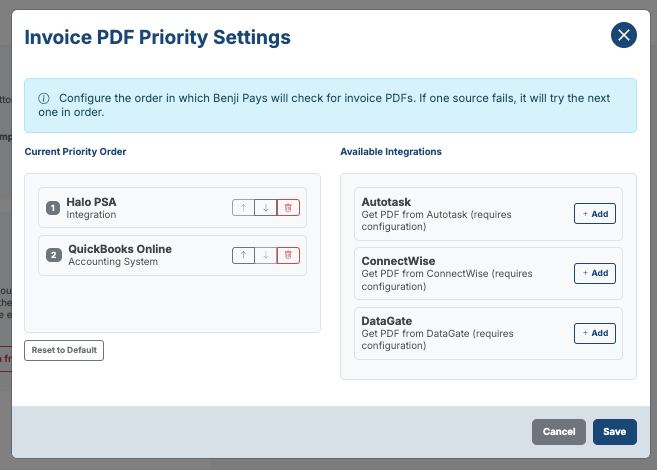
- At the bottom of this page, in the section called Invoice PDF Priority Settings, press the Configure PDF Priority button
- In the Available Integrations section, press the + Add button next to HaloPSA
- Now that it is added, under Current Priority Order you are able to use the arrows to direct HaloPSA to be above the Accounting System option
- Press Save to confirm your changes
Was this article helpful?
That’s Great!
Thank you for your feedback
Sorry! We couldn't be helpful
Thank you for your feedback
Feedback sent
We appreciate your effort and will try to fix the article