If you would like to have the Benji Pays customer portal directly embedded within the Halo PSA self-serve portal, we now have that as an option.
This image shows the Halo PSA navigation at the top with the Benji Pays customer portal embedded within the Halo PSA self-serve portal. This is easy to set up as shown below.
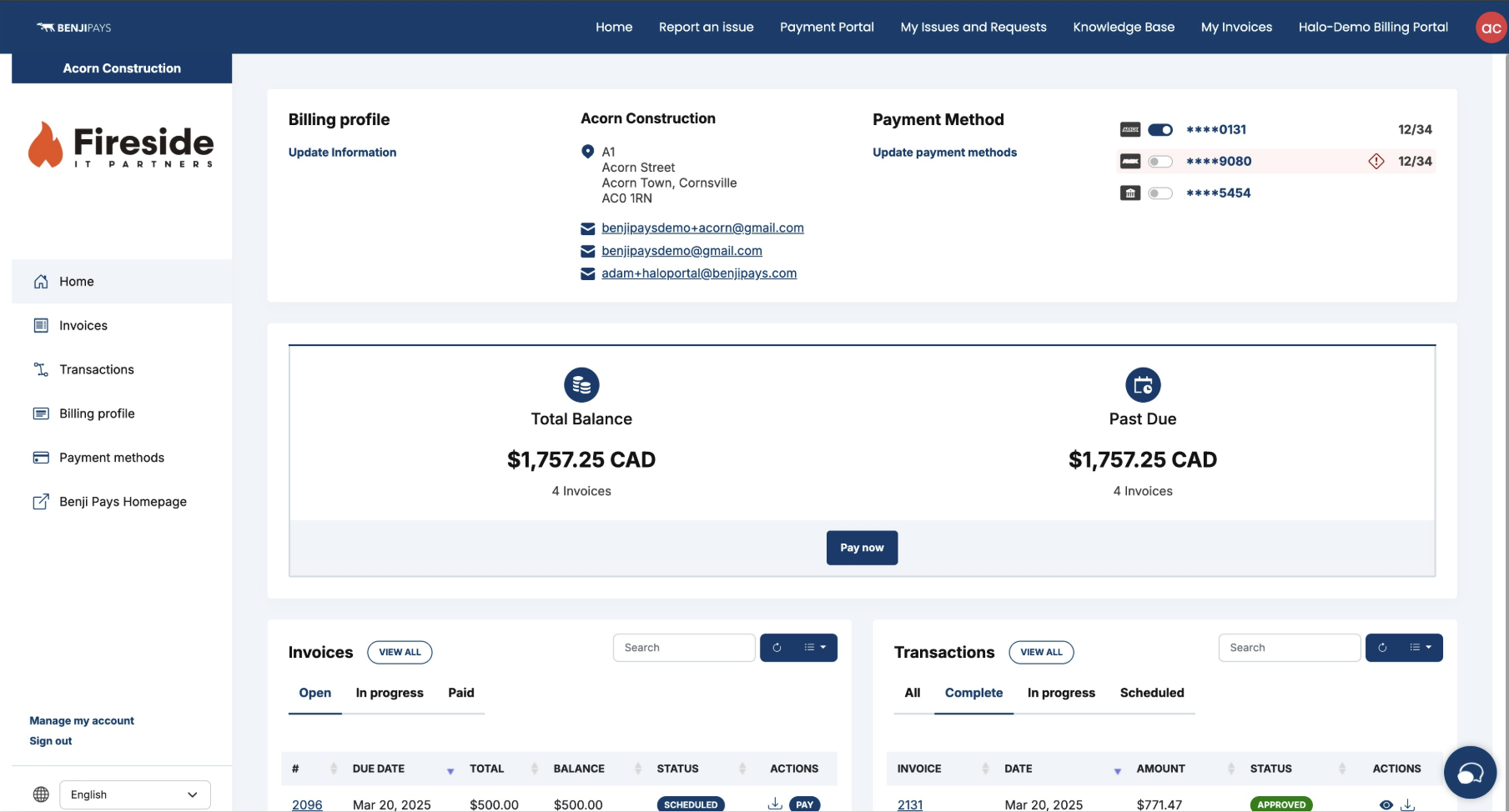
Requirements
There are two requirements for the iFrame to work:
1. SSO must be configured between Halo and Benji Pays within your Customer Portal settings. Please refer to the related article for detailed setup instructions.
2. You must have a custom domain configured for your Benji Pays Customer Portal that uses the same root domain as your Halo PSA self-service portal (for example, haloportal.yourdomain.com and benjipaysportal.yourdomain.com). To set up a custom domain, please contact us at support@benjipays.com.
eg.
- HaloPSA Portal Domain: portal.yourcompanyname.com
- Benji Pays Custom Domain: billing.yourcompanyname.com
Configuration
Once you have the above prerequisites in place, you can add the iFrame as follows.
1. Log into your HaloPSA account, and go to Configuration >> Self Service Portal
2. Scroll down to the "Menu Buttons" section and click "Add"
3. Select "Custom HTML Page"
4. Change the setting from "show when not logged in and when logged in" to "show when logged in"
5. Paste the code below into the Custom HTML box, and be sure to replace the URL with your Direct Login SSO link.
To locate the Direct Login URL from SSO Setup, navigate to Settings > Customer Portal Settings, scroll down to SSO (Single Sign-On) Configuration, and copy the Direct Login SSO link. Subsequently, paste the link into the code, replacing "src="https://directloginssolink"
⚠️ Important:
Refused to Connect: If you configured the iframe and are unable to connect to the customer portal through HaloPSA after clicking the button, edit the SSO Issuer URL* settings in Benji Pays and use the end-user portal URL instead of the API auth URL.
Was this article helpful?
That’s Great!
Thank you for your feedback
Sorry! We couldn't be helpful
Thank you for your feedback
Feedback sent
We appreciate your effort and will try to fix the article