TABLE OF CONTENTS
- How It Works
- What Customers Receive
- *Enabling Payment Method Update Reminders
- Reminder Frequency
- Payment Flows That Trigger Reminders
- Card Types That Trigger Reminders
- Choosing Which Failures Trigger Reminders
- When Reminders Stop
- Bank Account (EFT) Payments
- Relationship to Overdue Invoice Reminders
- Why a Reminder May Not Be Sent
- Payment Processor Differences:
- Multiple Saved Payment Methods
- Customizing Reminder Emails
- Frequently Asked Questions
Payment Method Update Reminders help you proactively notify customers when a saved payment method is no longer working. This reduces payment disruptions, improves collection rates, and gives customers a simple way to update their payment information before future invoices are affected.
These reminders are sent automatically through Invoice Rover and are designed to be helpful, not intrusive. Customers are only contacted when there is a payment method issue that requires their attention.
How It Works
A reminder is sent when a customer’s saved payment method can no longer be used, such as when:
- A card has expired
- A card has been reported lost or stolen
- A payment method has been disabled by the payment processor
- A card has reached the maximum number of consecutive declines
Before sending a reminder, Invoice Rover checks that:
- The Payment Method Update Reminder rule is enabled
- The customer has not recently received the same reminder
- The issue has not already been resolved
- The reminder qualifies based on your configured failure settings
Reminders are processed during your normal Invoice Rover scheduled runs.
What Customers Receive
The reminder email is branded as your business and includes:
- The customer’s name
- Details about the affected payment method (last four digits only)
- Any open invoices associated with the payment method
- A secure link to update or replace the payment method
- A note confirming that any other saved payment methods remain active
Customers do not need to log in or remember a password. The update link is unique and secure.
*Enabling Payment Method Update Reminders
To enable the reminder:
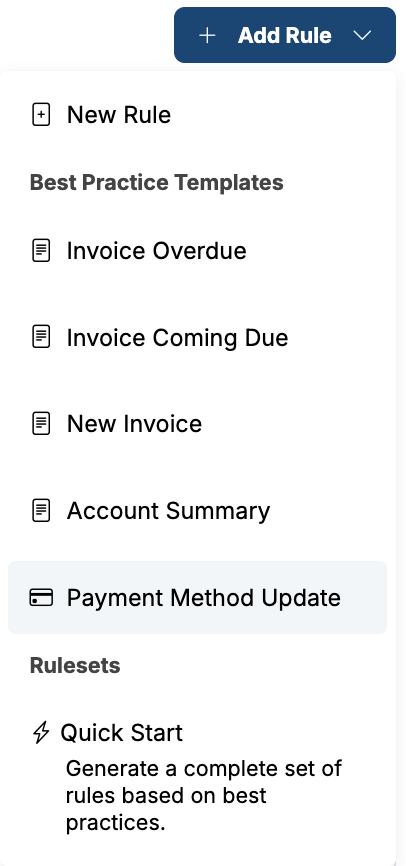
- Go to Settings > Invoice Rover.
- Click Add New Rule in the top-right corner.
- Select Payment Method Update under Best Practice Templates
- Before enabling the rule, review and customize the settings described below to match your preferences.
Reminder Frequency
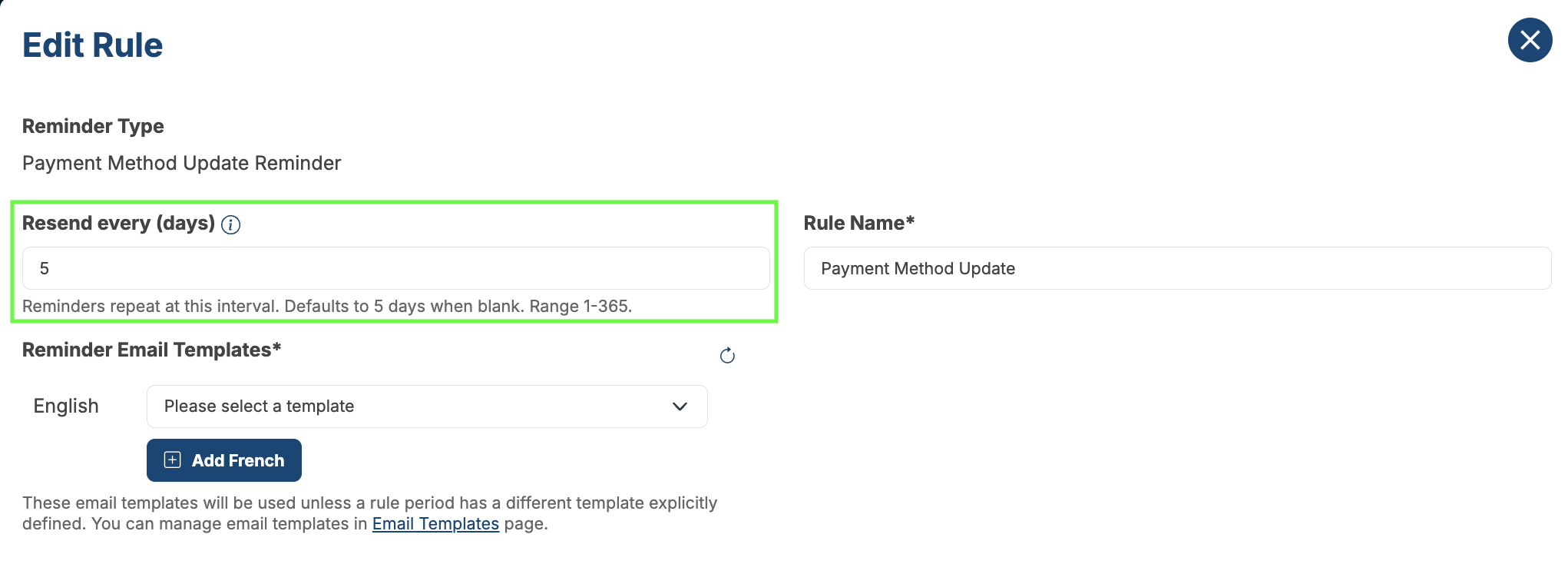
To prevent excessive emails, customers will not receive the same Payment Method Update Reminder more than once every 5 days by default.
Exceptions include:
- A different saved card begins failing
- A newly added payment method also fails
In either case, a new reminder can be sent immediately during the next Invoice Rover run.
The reminder interval can be adjusted in the rule settings.
Payment Flows That Trigger Reminders
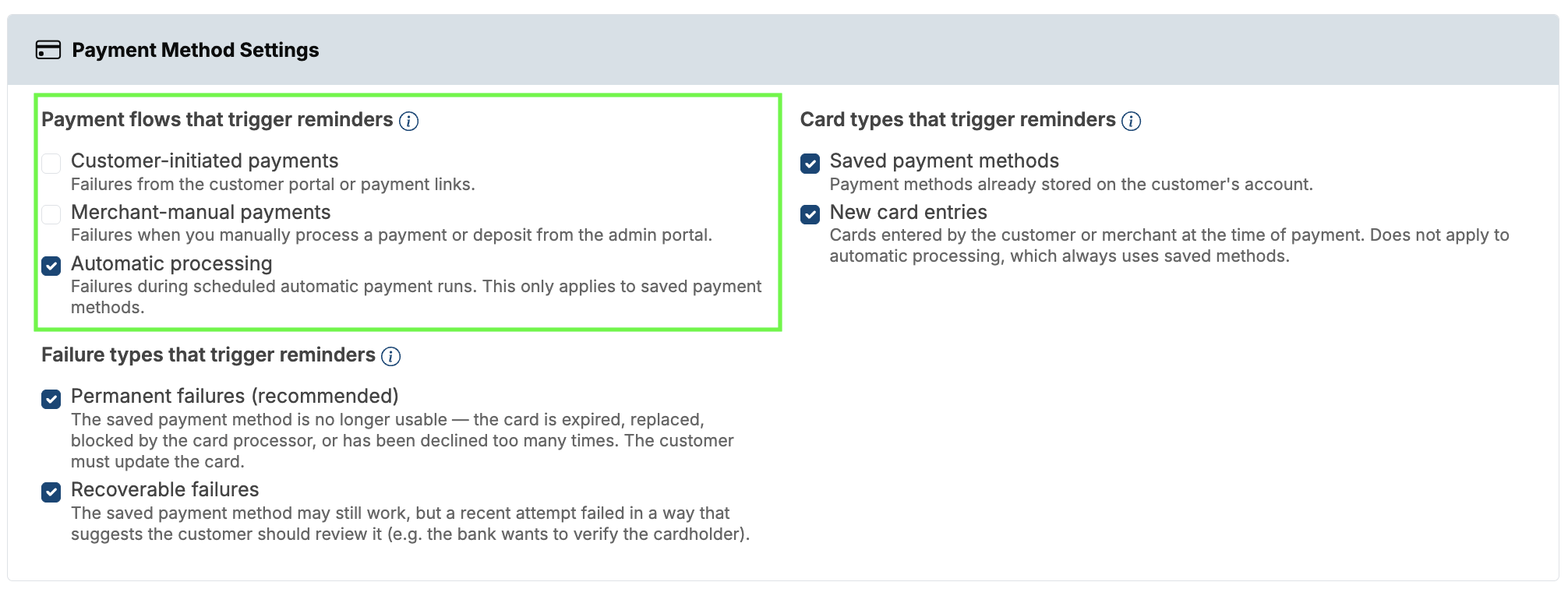
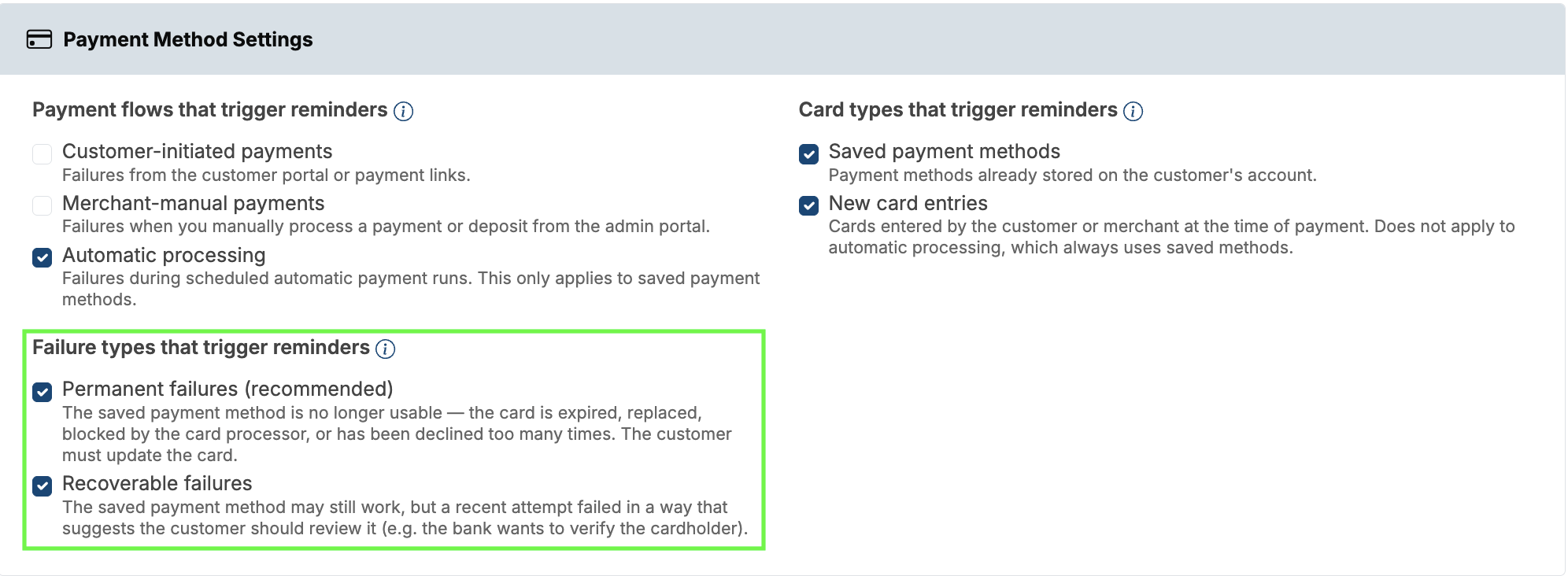
You can choose which payment flows should generate Payment Method Update reminders.
Customer-initiated payments
Sends reminders when a payment fails from the Customer Portal or a payment link.
Merchant-manual payments
Sends reminders when a payment or deposit processed manually from the Benji Pays Admin Portal fails.
Automatic processing
Sends reminders when a scheduled Auto Processing payment attempt fails. This option only applies to saved payment methods.
Card Types That Trigger Reminders
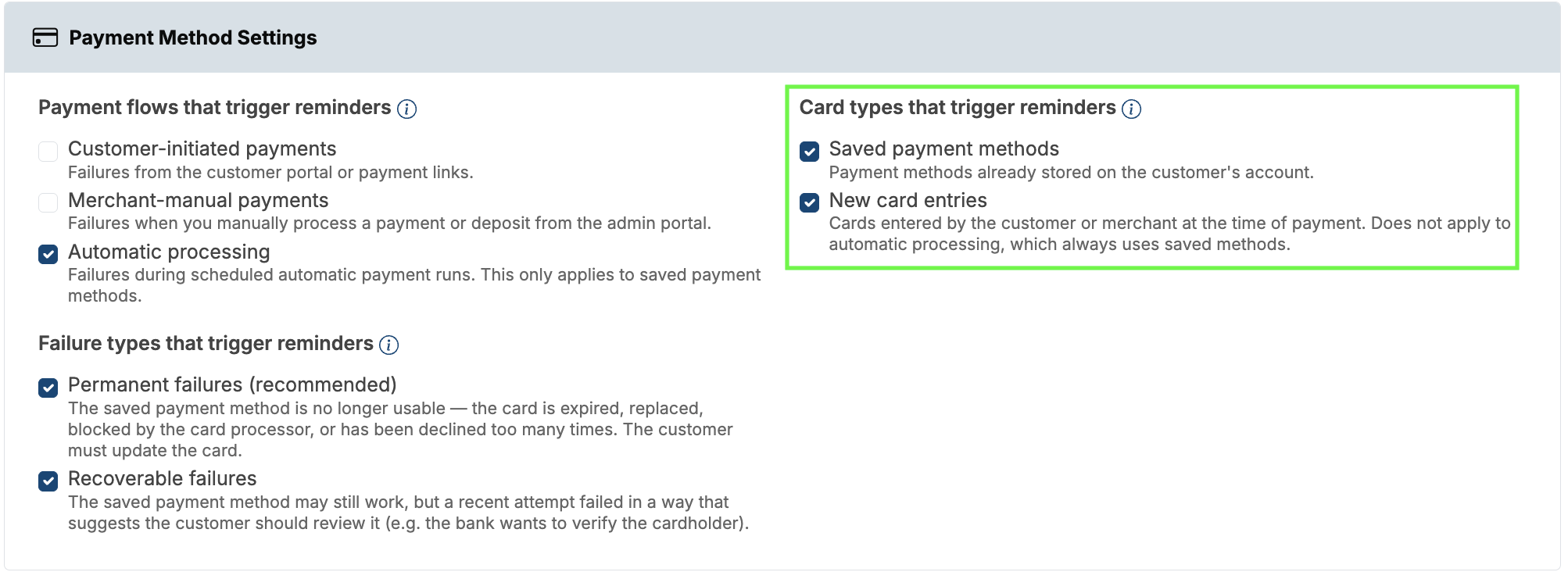
You can also choose which types of payment methods should be monitored for failures.
Saved payment methods
Triggers reminders when a payment fails using a payment method that is already saved on the customer’s account.
This option is recommended for most merchants and is required for Automatic Processing, since scheduled payments always use saved payment methods.
New card entries
Triggers reminders when a payment fails using a card entered at the time of payment, either by the customer or by a merchant processing a payment on the customer’s behalf.
Choosing Which Failures Trigger Reminders
When configuring the rule, you can choose which payment failures should notify customers.
1. Permanent Failures (Recommended)
Permanent failures indicate that the payment method can no longer be used and requires customer action.
Examples include:
- Expired cards
- Lost or stolen cards
- Disabled payment profiles
- Maximum consecutive declines reached
This is the recommended setting for most businesses because customers are only contacted when they must update their payment information.
2. Recoverable Failures
Recoverable failures indicate that a payment may still succeed later but should be reviewed.
Examples include:
- Authentication or verification requirements
- Certain processor-specific warning conditions
This option is useful if you want customers to investigate any payment issue, even when the card might recover on its own.
You must enable at least one failure type. By default, both options are enabled.
When Reminders Stop
Invoice Rover automatically stops reminders when the issue has been resolved.
Resolution can occur when:
- The customer successfully pays an invoice
- A new working payment method has been added
- The payment processor automatically updates the saved card
- A successful bank account (EFT) payment is made
If the issue returns later—for example, a payment is declined again or an EFT payment is returned—a new reminder cycle may begin.
Bank Account (EFT) Payments
When a customer pays using a bank account, reminders stop immediately after the payment is submitted, even before the bank processes it.
This prevents customers from receiving reminder emails while their payment is already in progress.
Payment Status | Reminder Behavior |
|---|---|
Queued | Reminders stop immediately |
Submitted / Pending | Reminders remain suppressed |
Approved | Reminders remain suppressed |
Returned (NSF, etc.) | A new reminder cycle may begin |
Customers who make one-time bank payments without saving their bank account are treated the same way.
Relationship to Overdue Invoice Reminders
If a customer receives a Payment Method Update Reminder on a given day, Invoice Rover will not send that customer an overdue invoice reminder on the same day.
This prevents conflicting messages such as:
- “Please update your payment method”
- “Please pay your overdue invoice”
Other reminder types, including Before Due and Due Today notifications, continue to send normally.
Overdue reminders automatically resume the following day.
Why a Reminder May Not Be Sent
A reminder may be intentionally skipped when:
- The failure appears temporary
- The payment method is still considered usable
- The customer was already attempting payment when the failure occurred
- The customer recently received a reminder for the same issue
- The customer has already resolved the problem
- The reminder rule was enabled after the failure occurred
- The failure occurred in an excluded payment context
- The failure type is not included in your selected settings
These safeguards help prevent unnecessary emails and improve the customer experience.
Payment Processor Differences:
Payment processors return different levels of detail when a transaction fails. Payment Method Update Reminders rely on that information to determine whether customer action is required.
Global Payments
Global Payments often returns generic decline responses without enough detail to determine whether a card is permanently unusable.
Reminders are typically sent when:
- The decline explicitly references an expired card
- The card is reported as lost or stolen
- The payment profile reaches the maximum consecutive decline limit
Generic “DECLINED” responses generally do not trigger reminders.
Clover
Clover provides more detailed error codes than Global Payments.
Reminders are commonly triggered by:
expired_card- Card replacement or pickup-required messages
- Missing or disabled saved payment methods
- Maximum consecutive decline limits
Generic card_declined responses are usually treated as temporary failures.
Other Supported Processors
Benji Payments, Moneris, Bambora, Elavon, and most other supported processors typically return more detailed decline information, allowing permanent failures to be identified sooner.
Multiple Saved Payment Methods
If a customer has multiple saved payment methods:
- Only the affected payment method is referenced in the reminder.
- Other active payment methods remain available and are clearly identified as active.
- Customers can update or remove only the affected payment method if desired.
If all saved payment methods are unusable, the email will explain that a new payment method is required before future charges can be processed.
Customizing Reminder Emails
You can customize:
- Subject line
- Greeting and introduction
- Closing message
- Sender name
- Reply-to address
- CC and BCC recipients
Invoice Rover automatically inserts:
- Affected payment methods
- Open invoices
- Secure payment method update links
For best results, keep the message short, friendly, and action-oriented.
Tip: If you use Benji Payments with Automatic Card Updater enabled, many expired or replaced cards are updated automatically behind the scenes. Customers will only receive reminders when automatic updates are not possible.
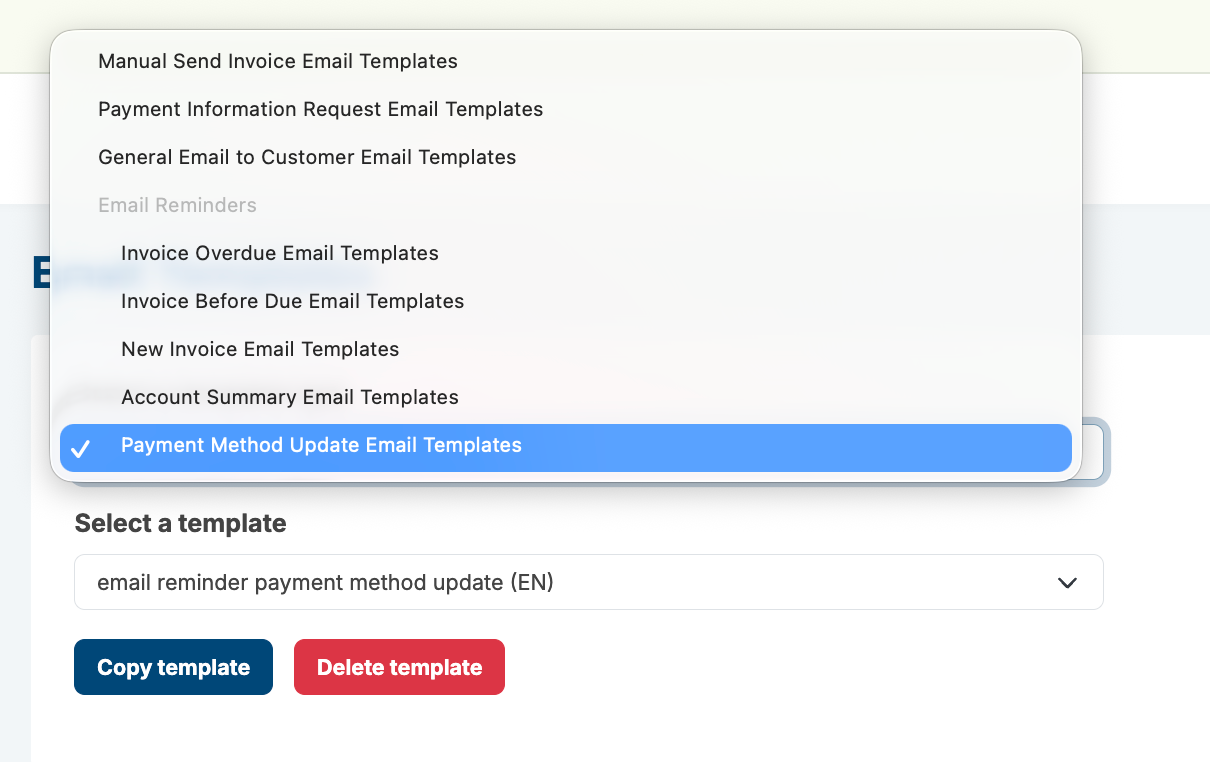
Go to Settings > Email Templates, select the template type as shown below, and then choose the English template.
Frequently Asked Questions
Will a reminder be sent if the customer already paid?
No. Invoice Rover checks payment status before sending and suppresses reminders if the customer has already paid.
What if the customer paid by bank account?
Reminders stop as soon as the bank payment is submitted. If the payment is later returned or declined, reminders may resume.
What if I add a new card for the customer?
No reminder will be sent as long as the new payment method is active and working.
What if Benji Payments automatically updates the card?
No reminder is sent. Automatic card updates are treated as a successful resolution.
Can I test the reminder email?
Yes. Invoice Rover supports test emails using sample customer data so you can review the content before enabling the rule.
My customer says they never received the email. What should I check?
- Confirm the rule is enabled.
- Verify the customer’s email address.
- Review Invoice Rover history for delivery or suppression details.
- Check the customer’s spam or filtered email folders.
Can I disable reminders for a specific customer?
Yes. Excluding the customer from Invoice Rover reminders will prevent Payment Method Update emails from being sent.
Does this work with all supported payment processors?
Yes. Payment Method Update Reminders work across supported processors, including Benji Payments, Global Payments, Clover, Moneris, Bambora, and Elavon. Processor-specific behavior may vary based on the decline information returned.
Was this article helpful?
That’s Great!
Thank you for your feedback
Sorry! We couldn't be helpful
Thank you for your feedback
Feedback sent
We appreciate your effort and will try to fix the article