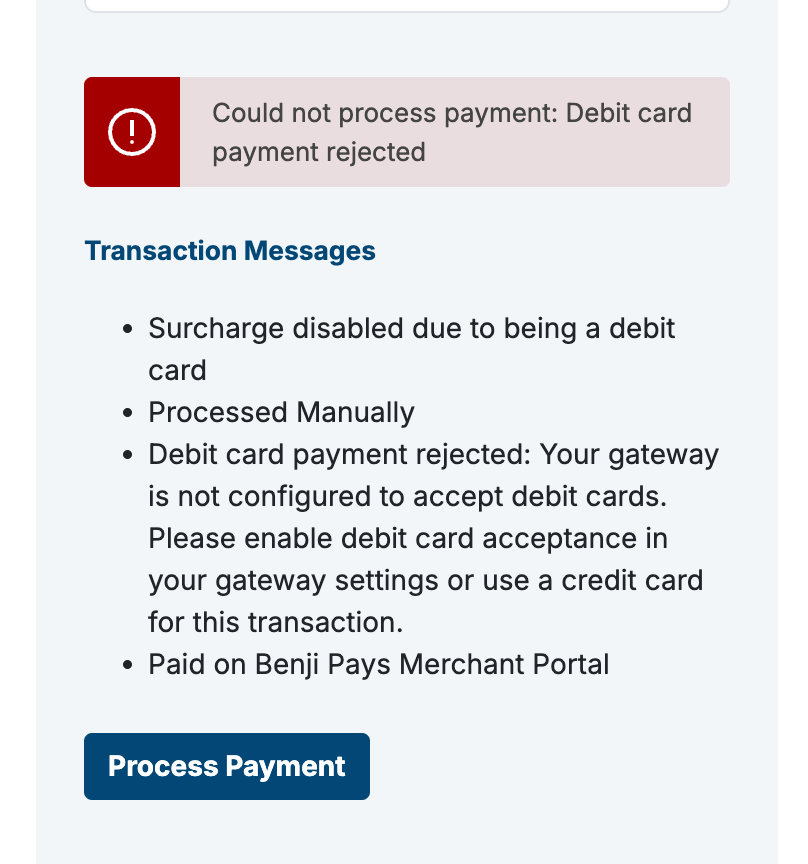
If you’re using the Benji Pays Payment Gateway and you see the error below, it usually means a required setting is missing from your gateway configuration.
Solution:
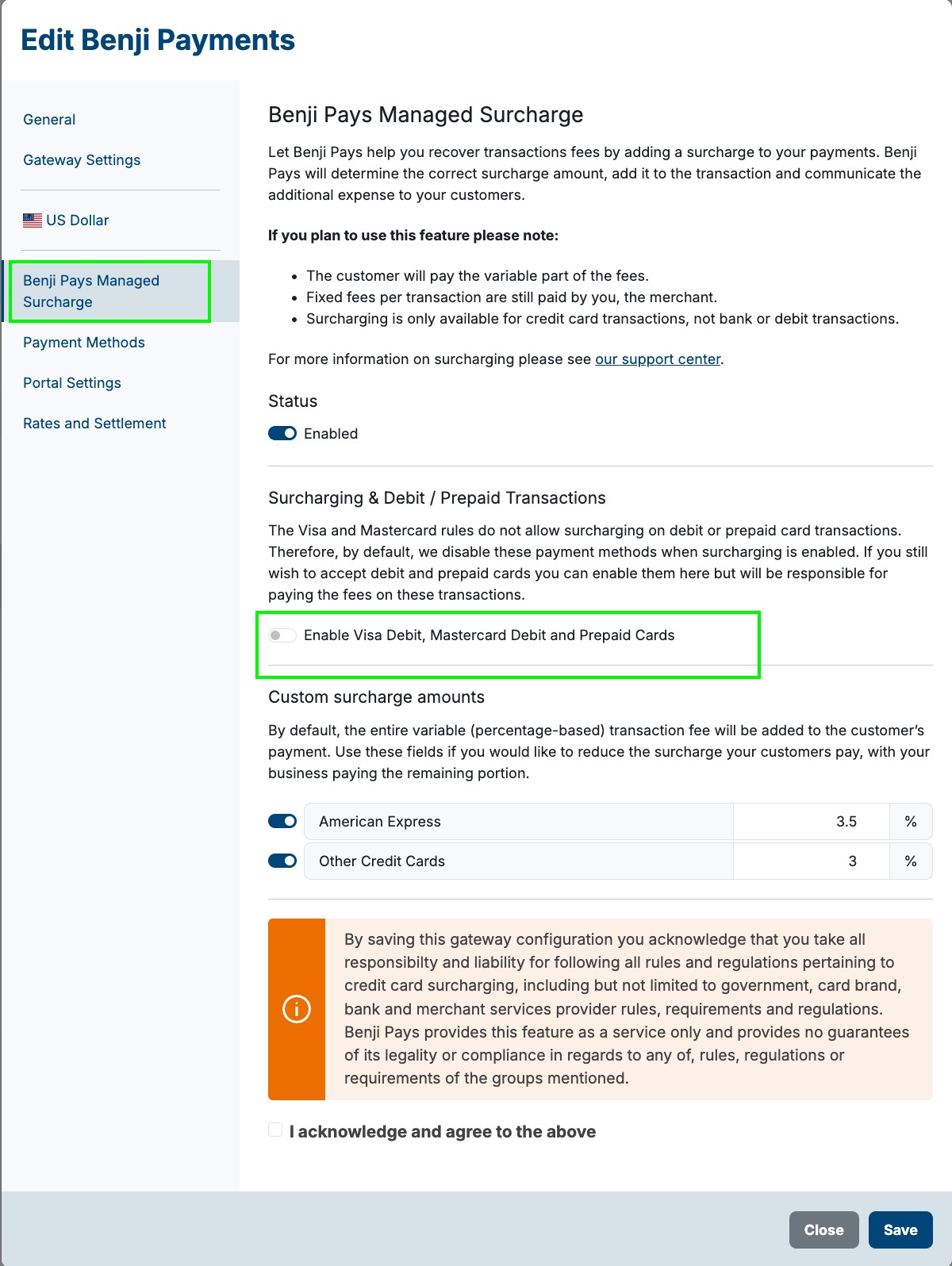
Go to Settings → Payment Gateway Settings, then:
Click the pencil (edit) icon on the right-hand side.
Select Benji Pays Managed Surcharge.
Enable Visa Debit (as highlighted below).
Was this article helpful?
That’s Great!
Thank you for your feedback
Sorry! We couldn't be helpful
Thank you for your feedback
Feedback sent
We appreciate your effort and will try to fix the article